






Hosting a Super Bowl Party? Here’s an Easy Way to Send Invitations
Super Bowl Sunday has a way of sneaking up on people. One minute you’re talking about the matchup, and the next you’re figuring out where the watch party will be. Before the snacks, the drinks, and the commercials everyone’s excited about, there’s one thing that sets it all in motion—the invite.
Sending a party invitation doesn’t have to be complicated. With CardSnacks, it’s an easy way to let friends and family know where to be on game day without another chaotic group text.
When is Super Bowl?
A Simple Way to Get Everyone on the Same Page
Instead of messages getting buried in a thread, a digital Super Bowl invite keeps all the details in one place. Date, kickoff time, location, and any notes about what to bring can all live right inside a personalized CardSnacks card. It’s quick to create, easy to send by text or email, and feels more intentional than a last-minute message.

Set the Tone for Game Day
Every Super Bowl party has a different vibe. Some are all about the game, others are there for the halftime show, and some are really just about the food. A CardSnacks invitation lets you match that energy from the start.Add a short message, a photo, or even a quick video to let guests know what kind of night you’re planning—whether it’s a full watch party or a laid-back hangout.
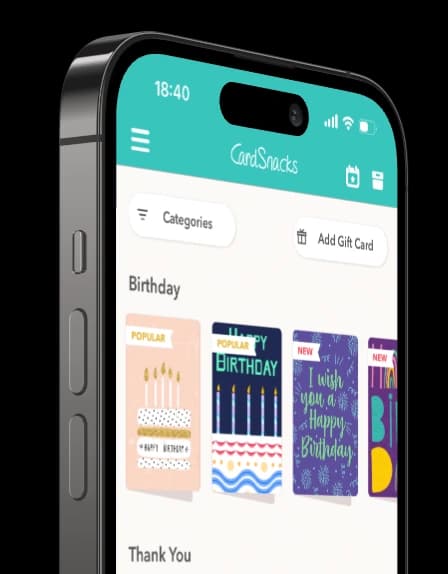
How to Get Started with the CardSnacks App
If you’re new to CardSnacks, getting started is simple and quick:
- Download the CardSnacks app from the App Store or Google Play.
- Create an account or sign in so you can save your cards and manage deliveries.
- Browse card designs for different occasions—including big game party day and celebrations.
- Customize your card with your message, photos, or optional gift card.
- Send or schedule your invite and let CardSnacks handle the rest.
Once you’ve sent your first card, you’ll see how easy it is to use the app for everything from invitations to thoughtful check-ins.
How to Create a Super Bowl Invitation with CardSnacks
Creating a Super Bowl invitation with CardSnacks in our app takes just a few minutes and keeps everything simple:
- Choose a design that fits your game-day vibe, whether it’s festive, fun, or low-key.
- Personalize your message with the party details guests need—kickoff time, location, and anything they should bring such as
- Add optional extras, like photos, music, or a short video, to make the invite feel more personal for the Big Game.
- Send instantly or schedule it to arrive closer to game day by text or email.
That’s it—no printing, no follow-ups, and no juggling multiple messages.
Invites That Feel Personal (Without the Extra Work)
Digital invitations don’t have to feel impersonal. CardSnacks makes it easy to add small personal touches that go a long way. A custom message, a fun animation, or a bit of humor makes your Super Bowl invite feel thoughtful without taking extra time.
You can even schedule your invite ahead of time, so it goes out when you want and planning stays stress-free.
A Thoughtful Touch for Hosts and Guests
Some hosts like to include a little extra with their invitation. With CardSnacks, you can add a gift card right into your Super Bowl invite—perfect for helping cover snacks, drinks, or food delivery on game day.
It’s also a great option if you can’t attend but still want to be part of the celebration.
An Easy Start to a Great Super Bowl Sunday
Planning a Super Bowl get-together doesn’t need to feel like a production. A simple, personalized invitation sets expectations, builds excitement, and brings everyone together before kickoff. However you’re watching the game, CardSnacks makes inviting people easy. Send a Super Bowl invitation that feels personal, effortless, and right for the moment. 🏈Check out our other invitation category to find invitations for Anniversary Invitations, Adult Birthday Invitations, Bridal Shower Invitations and more!





.webp&w=3840&q=75)